Five focused drills for mouse control

Aim Trainer Modes

Use one clear hub to choose between five free browser aim trainer modes: Gridshot for baseline speed, Spidershot for wide flick paths, Microflick for final-pixel corrections, Tracking for smooth control, and FPS 3D for desktop camera movement.

5
shooting drills
2D + 3D
training spaces
0
accounts needed

Mode skill matrix

What each mode trains

Each mode isolates a different piece of mouse control. Compare the focus before you choose a drill so you do not only practice what already feels comfortable.

baseline

Gridshot

Training focus

Builds target switching, first-shot confidence, and the habit of stopping cleanly before clicking.

Best for

Use it as a warmup or baseline drill when you want a simple score that reflects target switching speed and click consistency.
Open mode

flick path

Spidershot

Training focus

Builds wide flick mechanics, target acquisition, center resets, and confidence on larger mouse movements.

Best for

Use it when you need sharper target acquisition and better resets after wide flicks.

Open mode

precision

Microflick

Training focus

Builds small-angle correction, wrist control, and stable final adjustments before firing.

Best for

Use it when your crosshair reaches the right area but final pixel-level correction still feels unstable.

Open mode

control

Tracking

Training focus

Builds smooth crosshair control, pressure management, and fewer over-corrections while the target moves.

Best for

Use it when your flicks are fast enough but you lose targets during sprays, strafes, or long tracking fights.

Open mode

desktop

FPS 3D

Training focus

Builds desktop mouse control, crosshair discipline, and the ability to turn visual target reads into camera movement.

Best for

Use it when you want desktop pointer-lock practice that feels closer to an FPS camera than a 2D canvas drill.

Open mode

Training paths

Combine modes into short sessions

Effective aim training does not need to be long. Treat drills as short routes where each route strengthens one mouse-control skill.

Match warmup path

Use this before a match when you want cleaner movement, not one lucky high score.

  1. 1Run two or three short Gridshot rounds.
  2. 2Pick the weakest skill for one focused mode.
  3. 3Compare averages and stop when accuracy drops.

Flick correction path

Separate wide flicks from final corrections when you overshoot targets or struggle to reset through center.

  1. 1Use Spidershot for center anchors and wide paths.
  2. 2Move into Microflick at a slower speed to practice clean stops.
  3. 3Return to Gridshot and check whether the full rhythm is more stable.

Tracking control path

Use this path when static clicks are fast enough but you lose targets during moving fights.

  1. 1Warm up with Gridshot to bring back click rhythm.
  2. 2Open Tracking and prioritize staying on target.
  3. 3Finish with Microflick to restore small corrections and first-shot stability.

FPS desktop path

Use 2D modes to isolate clicks and tracking, then move into FPS 3D for fixed-crosshair camera movement.

  1. 1Use Microflick for small corrections and stable click timing.
  2. 2Use Tracking for smooth pressure and sustained follow.
  3. 3Open FPS 3D and transfer that mouse control into camera movement.

Training mode guide

Give every mode a clear job

The sections below explain how to choose a mode, combine 2D and 3D practice, and use short stable sessions instead of grinding until movement breaks down.

Choose the right mode

Diagnose the problem before you train

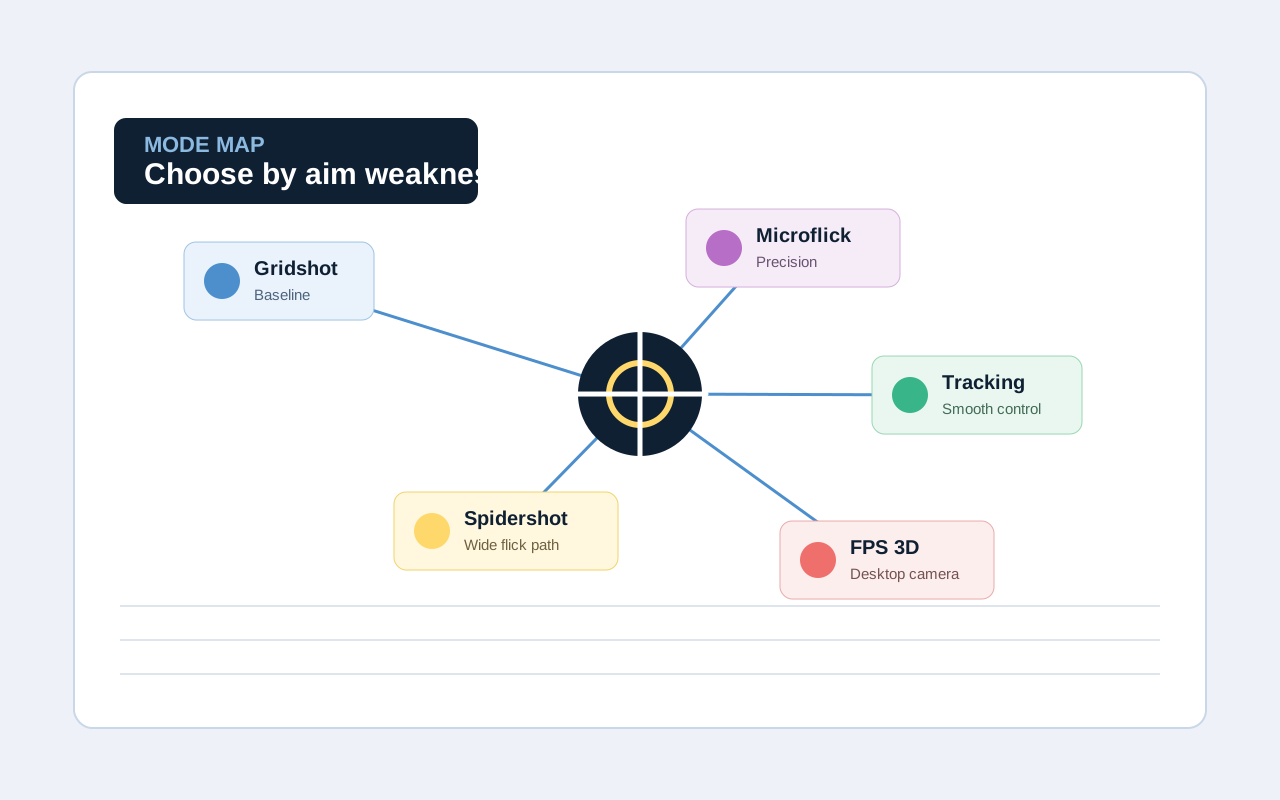
A useful Aim Trainer does more than place targets on the screen. You need to know whether you are practicing target switching, flick paths, micro corrections, tracking, or FPS camera control. This overview puts the five modes into one decision path so you can quickly choose the right drill for today.

  • Gridshot gives you a baseline for speed, target reads, and click consistency.
  • Spidershot and Microflick separate wide movement from tiny final corrections.
  • Tracking and FPS 3D focus on sustained control and desktop transfer.
Mode selection graphic showing how five Aim Trainer modes map to different aiming weaknesses
2D and 3D together

Connect click drills to FPS camera control

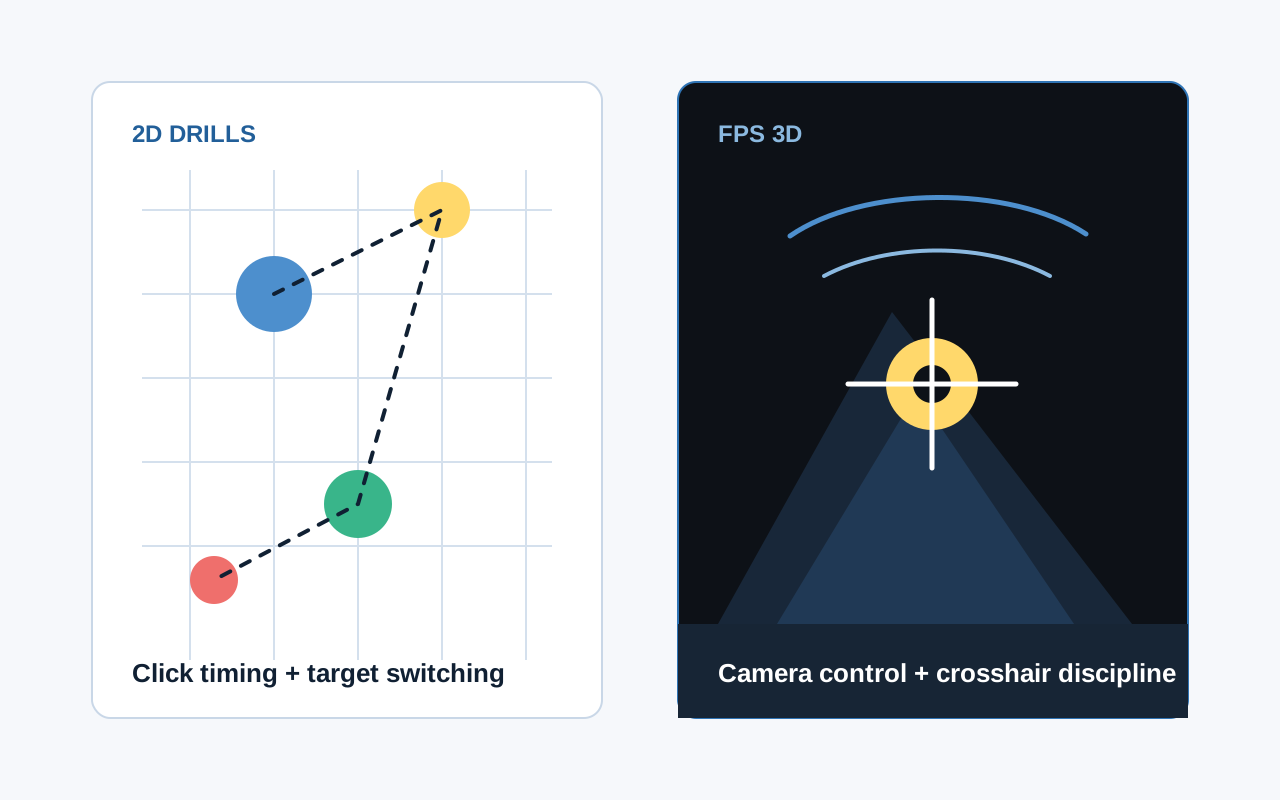
2D modes are useful because they isolate hand stops, click timing, and target reads in a clean scene. FPS 3D adds fixed-crosshair and camera movement practice that feels closer to desktop shooters.

  • Use 2D drills to break movement down and build accuracy first.
  • Use FPS 3D for camera turns, crosshair discipline, and spatial reads.
  • Pairing both training spaces is more complete than grinding one mode only.
Comparison graphic showing 2D target drills and FPS 3D crosshair control
Short session habit

Train until movement is stable, not until you are tired

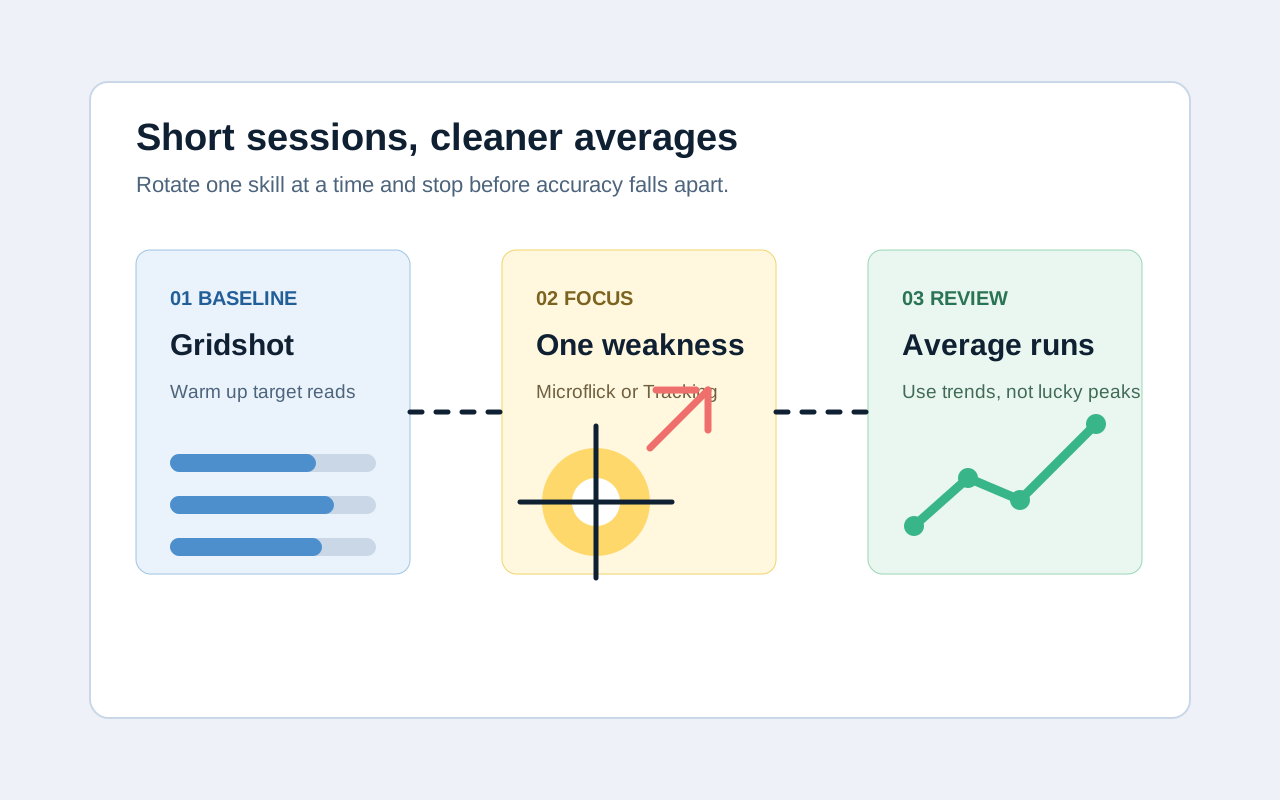
Longer practice is not always better. Short sessions keep you focused and reduce sloppy recovery movements. Pick one focus, run several rounds, then compare whether your average performance is stable.

  • Use Gridshot or the homepage quick drill to wake up your hand before a match.
  • Choose one weakness for focused practice instead of trying to train everything.
  • Judge progress by average runs, not by a single peak score.
Graphic showing a short Aim Trainer routine and average results across several runs

Mode selection FAQ

Frequently asked questions

These answers help you decide which mode to play first, how to structure short sessions, and how browser practice relates to FPS in-game training.

Which Aim Trainer mode should I play first?

If you only want a quick warmup, start with Gridshot to establish target switching and click rhythm. If you already know the weakness, go directly to Spidershot, Microflick, Tracking, or FPS 3D.

Are these training modes free?

Yes. These modes are built for free browser practice. You can open a mode page and start training without installing a desktop app.

Can browser aim training improve FPS aim?

It helps isolate mouse control, target switching, micro correction, and tracking skills. Real match performance also depends on maps, movement, weapon mechanics, and decisions, so browser drills work best alongside in-game practice.

Can mobile or touch devices play every mode?

The 2D modes run in most modern browsers. FPS 3D depends on a desktop mouse and pointer lock, so touch-first devices should use the training content or lighter browser drills instead.

How long should I practice each day?

Five to ten focused minutes is usually enough for a warmup. Train one focus at a time, compare average runs, and stop when accuracy drops or your movement gets sloppy.